Bedrock Usage
A page for monitoring AWS Bedrock model usage across calls, tokens, latency, cost, and cache savings.
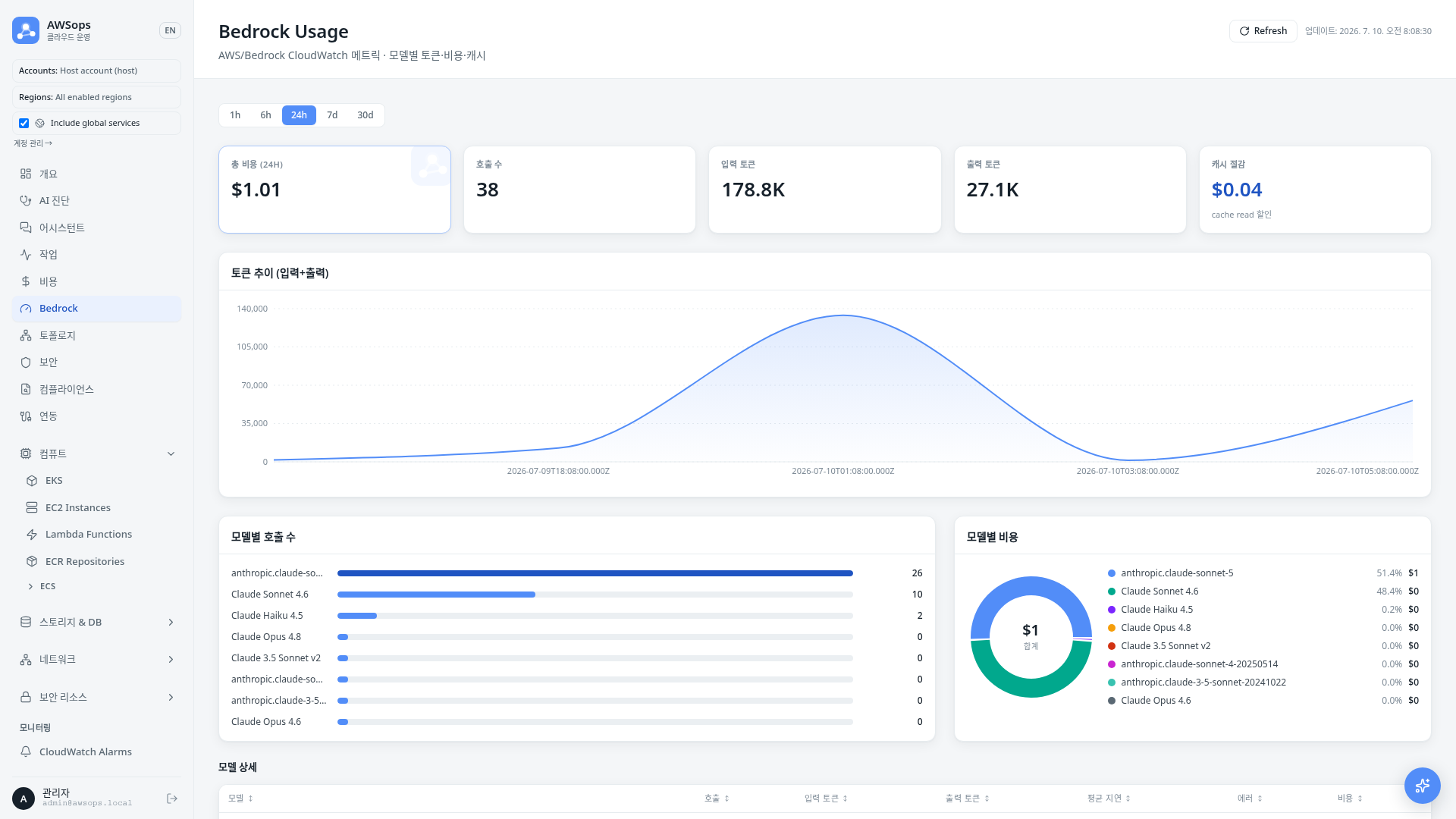
Features
Period selector
- Pick one of 1h / 6h / 24h / 7d / 30d from the segmented control at the top (default 24h).
- The selected period applies to the KPI cards, charts, and model table all at once.
- All metrics are aggregated from the CloudWatch AWS/Bedrock namespace.
KPI cards
| Card | Meaning |
|---|---|
| Total Cost | Estimated total cost for the selected period (USD) |
| Calls | Total number of model invocations |
| Input Tokens | Total input tokens (compact notation) |
| Output Tokens | Total output tokens (compact notation) |
| Cache Savings | Estimated cost saved by the cache-read discount |
Charts
- Token trend (input + output): shows token usage over the period as an area chart.
- Calls by model: compares invocation volume per model as a bar chart.
- Cost by model: shows each model's cost share as a donut chart with a legend.
Model detail table
For each model the table provides: Model, Calls, Input Tokens, Output Tokens, Avg Latency (ms), Errors, and Cost. The table sorts by cost (highest first) by default. Clicking a row opens the detail panel with the model's Invocations Over Time and Token Usage (input+output) charts over the selected range ('no time-series data' when empty).
How to use
- Click Cost > Bedrock Usage in the sidebar.
- Choose the period you want in the segmented control at the top.
- Read the KPI cards for total cost, calls, tokens, and cache savings at a glance.
- Inspect the token trend chart to see how usage changes over time.
- Compare the Calls by model and Cost by model charts to see which models are used most and which drive the most cost.
- Review per-model latency and errors in the Model detail table.
- Use the Refresh button at the top right to reload the latest data. The time it was last fetched (KST) is shown next to the button.
Tips
The cost shown is an estimate computed by multiplying token usage by a per-1M-token price table, so it may differ from your actual AWS bill. Check Cost Explorer for the exact billed amount.
The Cache Savings card shows the cost saved thanks to prompt cache reads. A larger value means the cache is being used effectively.
If there were no model invocations in the selected period, an empty-state message appears. If loading fails, check your CloudWatch permissions or whether your session has expired.
AI analysis tips
From the floating button (or the AI Assistant page) you can ask questions like:
- "Which Bedrock model cost the most over the last 7 days?"
- "How can I increase my cache savings?"
- "Compare the average latency by model over the last 24 hours."
Related pages
- Cost Explorer - Analyze AWS cost by service and period
- AI Assistant - Ask about usage and cost and get analysis