AI Assistant
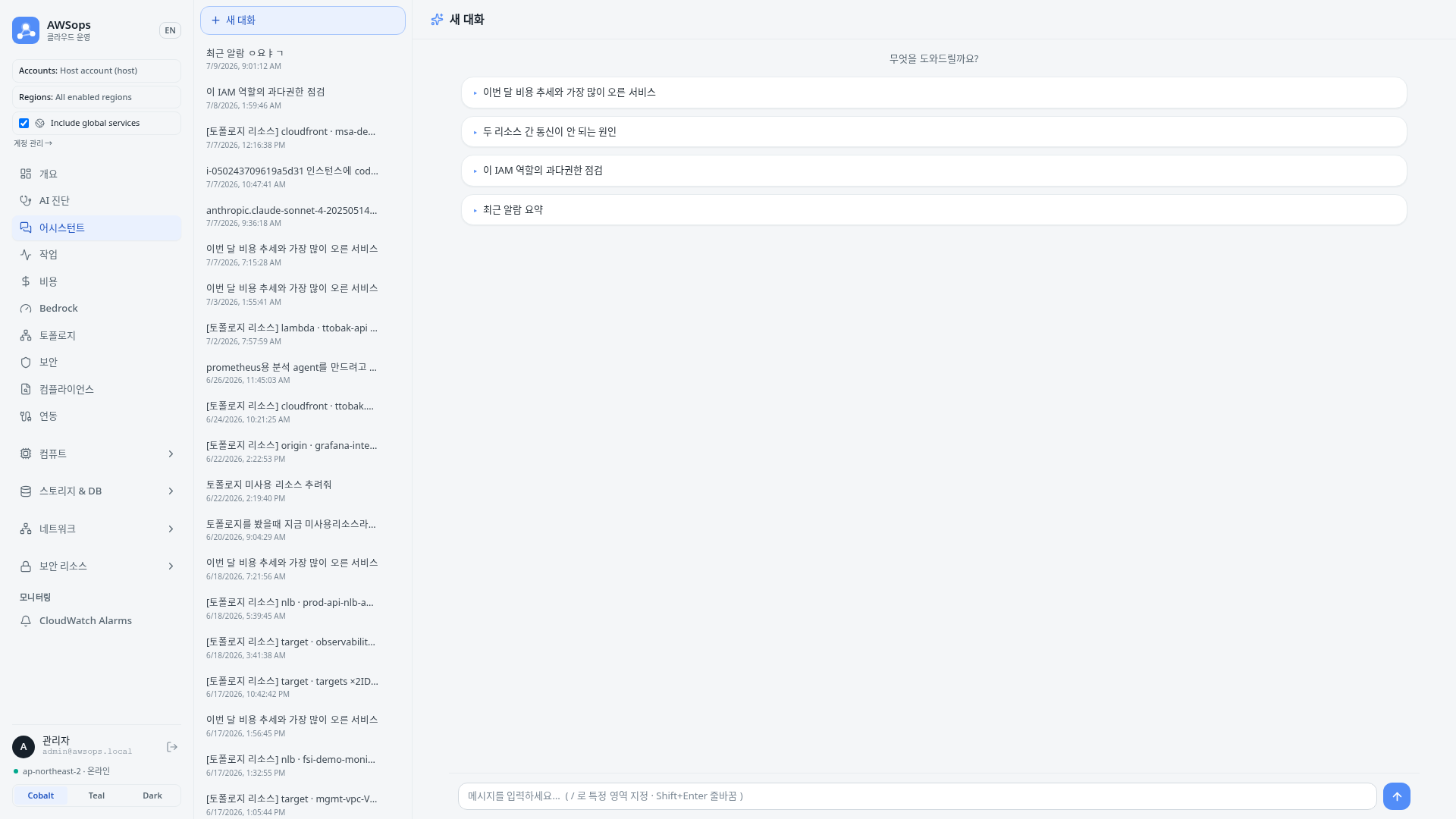
A page for asking AWS and Kubernetes operations questions in natural language and getting AI answers in a full-screen chat.
Features
Natural-language questions and streaming answers
- Ask in plain language and the answer streams token by token in real time.
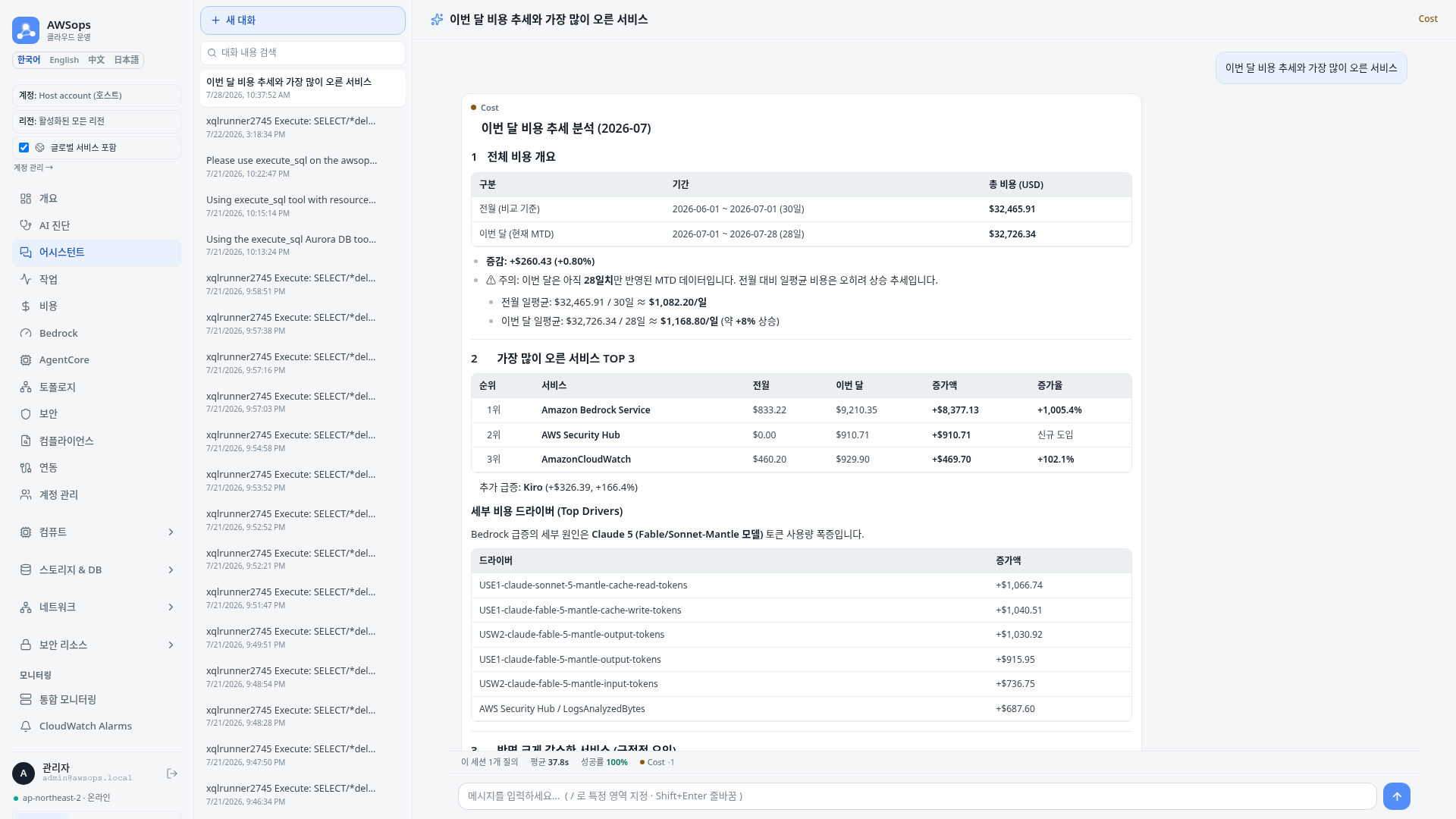
- Answers render as markdown, so tables, code blocks, and lists display cleanly.
- AWS resources are read-only — the assistant observes and analyzes, and never mutates resources.
Automatic domain routing
- Each question is auto-routed to the most relevant domain (Network · Data · Security · Cost · Monitoring).
- A colored domain badge (e.g. 💰 Cost) on the answer shows which domain handled it.
- After an answer, up to two related-domain chips let you re-ask the same question in another domain.
Conversation list (left rail)
- The left rail lists your saved conversations, newest first.
- Click a conversation to reopen it; hover over an item to reveal its delete button.
- Use New conversation to start fresh.
- Conversations are saved automatically and share the same history as the floating chat drawer available on every page.
How to use
- Click Overview > AI Assistant in the sidebar, or open the floating chat button on any page.
- On the empty screen, click one of the suggested-question chips (e.g. this month's cost trend, why two resources can't talk, check IAM over-permissions, summarize recent alarms) or type your own.
- While the answer streams, watch the domain badge to see which domain is handling it.
- Click a related-domain chip below the answer to re-ask the same question in another domain.
- In the left rail, click a past conversation to reopen it, or choose New conversation to start a new topic.
Tips
Scope to a specific domain
Start a message with / to scope that single message to a specific domain (e.g. /network check connectivity between two subnets). Some domains may be marked coming soon.
Shared with the floating chat
Conversations on this page use the same history as the floating chat drawer. If a conversation link ends with ?thread=<id>, that specific conversation opens directly.
Timestamps
Times shown in the app are in Korea Standard Time (KST, Asia/Seoul).
AI analysis prompts
- "Show this month's cost trend broken down by service"
- "Analyze why these two resources can't communicate"
- "Check for over-permissioned IAM access"
- "Summarize the alarms that fired recently"
Related pages
- AI Diagnosis - Generate in-depth diagnosis reports
- Datasource Explorer - Query external observability data in natural language