WAF
A page to monitor AWS Web Application Firewall and review rules.
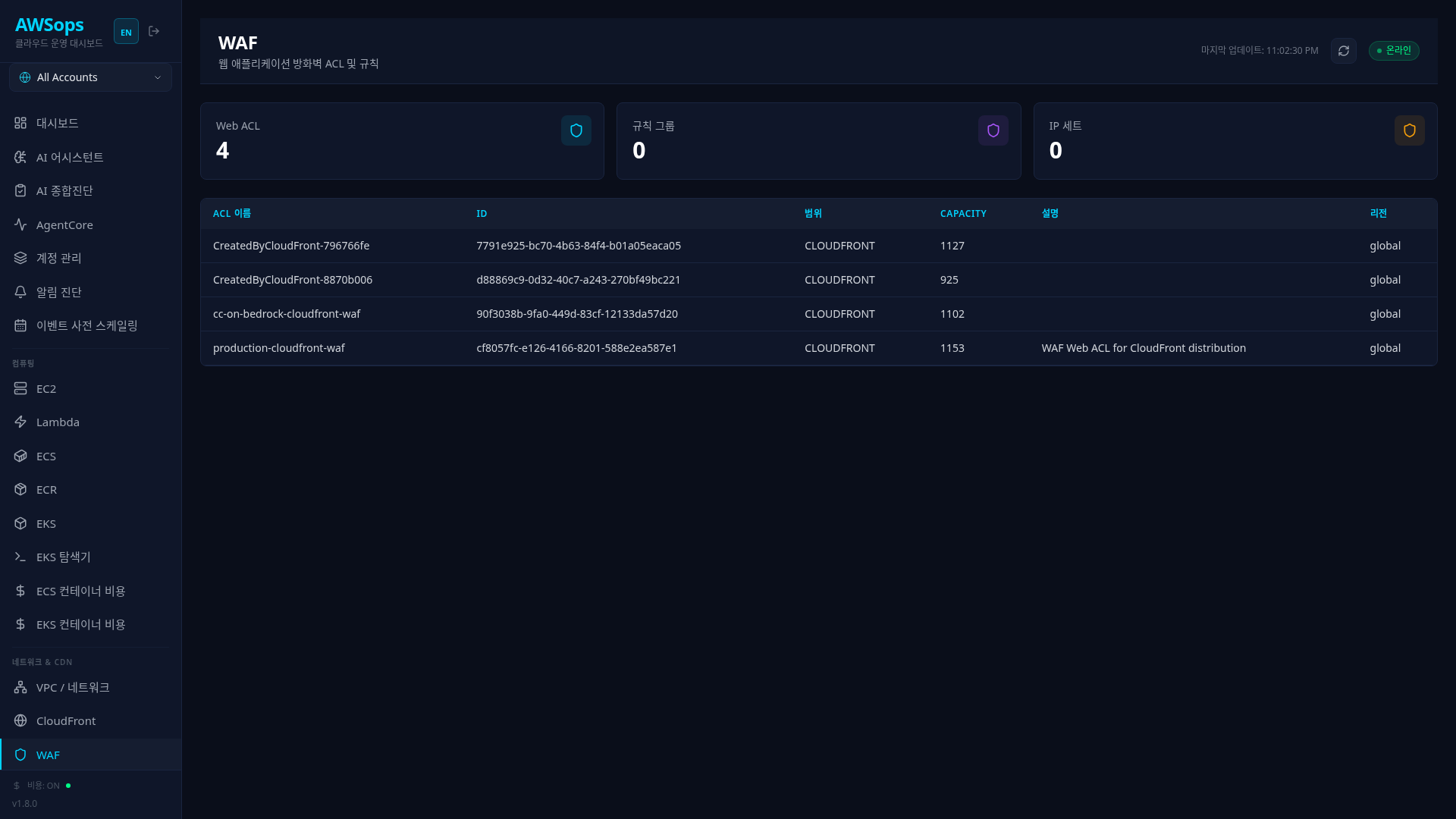
Key Features
Summary Statistics
View WAF resource status in the top cards:
| Metric | Description | Color |
|---|---|---|
| Web ACLs | Total number of Web ACLs | cyan |
| Rule Groups | Total number of rule groups | purple |
| IP Sets | Total number of IP sets | orange |
In v2 these three counts render as per-type tiles on the Security group overview (/inventory/g/security), and Rule Groups (/inventory/waf_rule_group) / IP Sets (/inventory/waf_ip_set) each get a dedicated inventory page (scope donut, WCU bar, IPv4/IPv6 distribution, address counts) — data appears after a terraform apply + the next sync.
Web ACL List
View all Web ACLs in the table:
- Name: Web ACL name
- ID: Unique identifier
- Scope: REGIONAL or CLOUDFRONT
- Capacity: WCU (Web ACL Capacity Units) usage
- Description: Description
- Region: Region (CLOUDFRONT is Global)
Detail Panel
Click a Web ACL row to view detailed information:
Web ACL Section
- Name, ID, ARN
- Scope, Capacity
- Description
- Default Action (Allow/Block)
Rules Section
- Rule name and Priority
- Action (Allow, Block, Count)
- Managed Rule Group references
How to Use
Check Web ACL Status
- Navigate to the WAF page
- Review total resource counts in the top summary cards
- View Web ACL list in the table
- Distinguish Regional/CloudFront by Scope
Analyze Web ACL Rules
- Click a Web ACL row in the table
- Check the Rules section in the detail panel
- For each rule:
- Name: Rule name
- Priority: Evaluation order (lower = first)
- Action: Action when matched
Understanding Scope
| Scope | Associated Resources | Region |
|---|---|---|
| REGIONAL | ALB, API Gateway, AppSync | Specific region |
| CLOUDFRONT | CloudFront Distribution | us-east-1 (Global) |
Tips
AWS provides various Managed Rule Groups:
- AWSManagedRulesCommonRuleSet: OWASP Top 10 protection
- AWSManagedRulesSQLiRuleSet: SQL Injection blocking
- AWSManagedRulesKnownBadInputsRuleSet: Known malicious input blocking
Managed Rules are continuously updated by AWS, reducing manual management overhead.
Each rule consumes WCU. The default limit for a Web ACL is 1,500 WCU. If your Capacity value is high, reduce the number of rules or request a limit increase through AWS Support.
- Allow (default): Allow if no rules match (explicit block approach)
- Block (default): Block if no rules match (explicit allow approach)
In most cases, the recommended approach is Allow as default + adding block rules.
Related Pages
- CloudFront - CDN distributions with WAF attached
- VPC - Check VPC where ALB is located
- Compliance - WAF-related compliance checks