Security
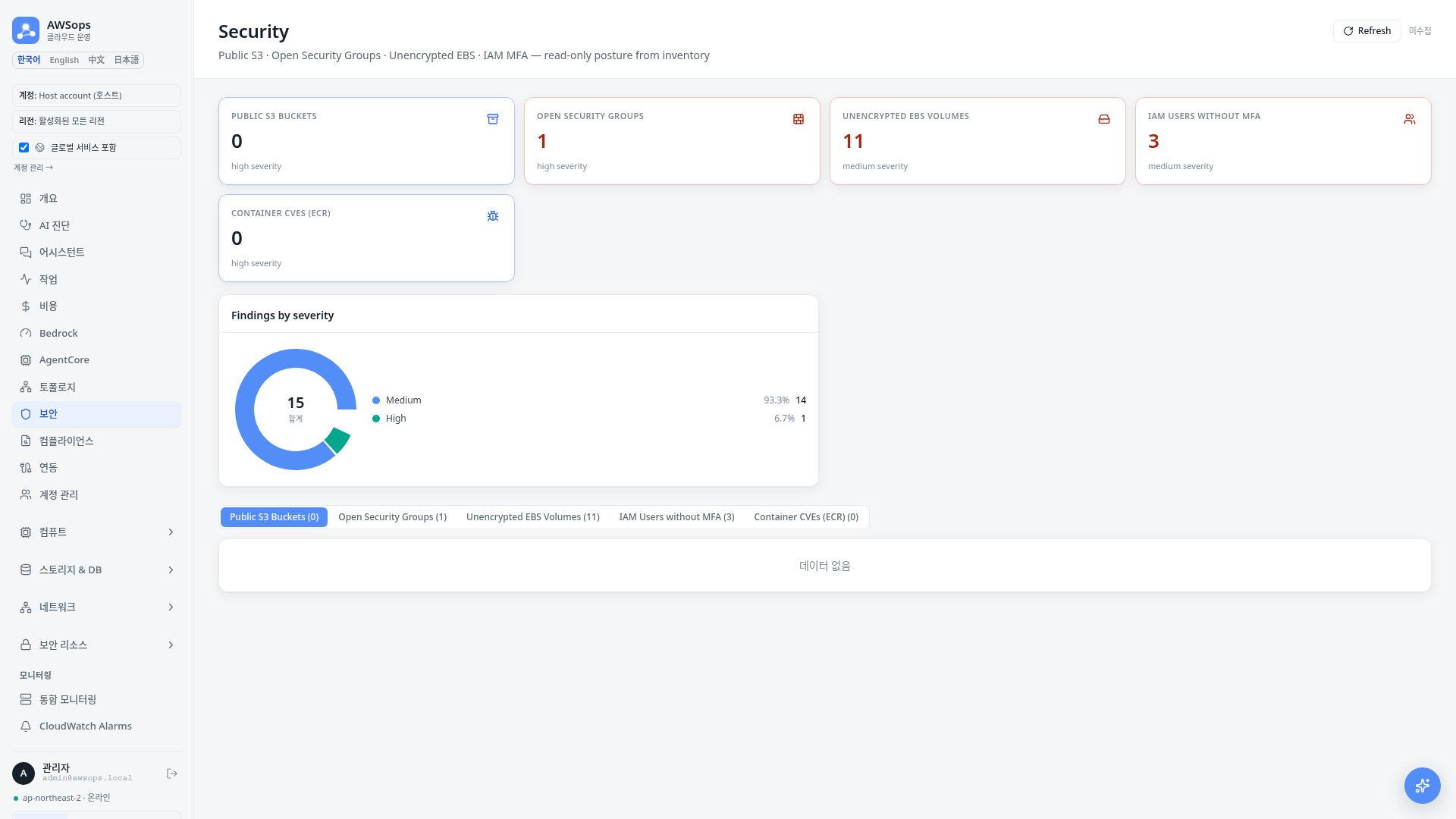
The Security page provides comprehensive monitoring of security vulnerabilities in your AWS environment. You can view public S3 buckets, open Security Groups, unencrypted EBS volumes, and container CVE vulnerabilities in one place.
Summary Statistics
Key security metrics are displayed at the top of the page:
| Metric | Description | Recommended Value |
|---|---|---|
| Public Buckets | S3 buckets with public access | 0 |
| MFA Issues | Users without MFA enabled | 0 |
| Open SGs | Security Groups allowing 0.0.0.0/0 inbound | Minimize |
| Unencrypted Vols | Unencrypted EBS volumes | 0 |
| CVE Critical | Critical severity vulnerabilities | 0 |
| CVE High | High severity vulnerabilities | Minimize |
Visualization Charts
CVE Severity Distribution
A pie chart displays the distribution of vulnerabilities by severity:
- CRITICAL (Red): Immediate action required
- HIGH (Orange): Quick action recommended
- MEDIUM (Purple): Planned action needed
- LOW (Cyan): Low priority
Security Issues Summary
A bar chart compares the number of issues across each category. CVEs are split into Critical/High bars, and zero-count categories are hidden (when every category is zero, the chart itself is omitted).
Tab Details
Public Buckets
List of S3 buckets with public access allowed.
| Column | Description |
|---|---|
| Bucket Name | Bucket name |
| Region | Bucket region |
| Policy Public | Whether the bucket policy is public |
| Block ACLs | Whether public ACLs are blocked |
| Block Policy | Whether public policy is blocked |
When a public bucket is found, verify if it was intentional. If unintentional, enable S3 Block Public Access settings to block access immediately.
MFA Status
List of IAM users without MFA enabled.
| Column | Description |
|---|---|
| Username | User name |
| User ID | AWS user ID |
| Created | Creation date |
| Password Last Used | Last login |
Open Security Groups
Security Group rules allowing inbound traffic from 0.0.0.0/0.
| Column | Description |
|---|---|
| Group ID | Security Group ID |
| Group Name | Security Group name |
| VPC | Associated VPC |
| Protocol | Allowed protocol |
| From/To Port | Allowed port range |
| CIDR | Source CIDR (0.0.0.0/0 highlighted) |
The 0.0.0.0/0 CIDR allows access from all IP addresses. We recommend restricting to specific IP ranges for ports other than web servers (80, 443).
Unencrypted Volumes
List of unencrypted EBS volumes.
| Column | Description |
|---|---|
| Volume ID | EBS volume ID |
| Name | Volume name tag |
| Type | Volume type (gp3, io2, etc.) |
| Size (GB) | Volume size |
| State | Volume state |
| AZ | Availability Zone |
Existing volumes cannot be encrypted directly. Create an encrypted snapshot, then create a new volume from that snapshot.
CVE Vulnerabilities
Container image vulnerabilities detected by Trivy scanning.
| Column | Description |
|---|---|
| CVE ID | Vulnerability ID (e.g., CVE-2024-1234) |
| Severity | Severity level (CRITICAL/HIGH/MEDIUM/LOW) |
| Package | Vulnerable package name |
| Installed | Installed version |
| Fixed | Fixed version (-- if none) |
| Title | Vulnerability title |
Details Panel
Click a row in any table to view detailed information in a slide panel:
- S3 Bucket: Complete Public Access settings
- IAM User: ARN, creation date, last login
- Security Group: Rule details and remediation recommendations
- EBS Volume: Creation date, state, encryption guidance
- CVE: Vulnerability description, affected packages, fixed version
Data Sources
| Data | Source |
|---|---|
| S3, IAM, SG, EBS | Steampipe AWS plugin |
| CVE Vulnerabilities | Steampipe Trivy plugin (trivy_scan_vulnerability table) |